
ASP.NET MVC (Model-View-Controller) has long been a popular framework for building web applications on the Microsoft platform. It offers robust features, high performance, and scalability but is based on the .NET Framework, which is Windows-only.
In recent years, Microsoft introduced ASP.NET Core, an open-source, cross-platform framework for building modern web applications and APIs. With significant improvements in speed, scalability, and flexibility, ASP.NET Core has become the go-to choice for developers aiming to build high-performance applications across various operating systems.
Why Migrate to ASP.NET Core?
There are several compelling reasons to migrate from ASP.NET MVC to ASP.NET Core:
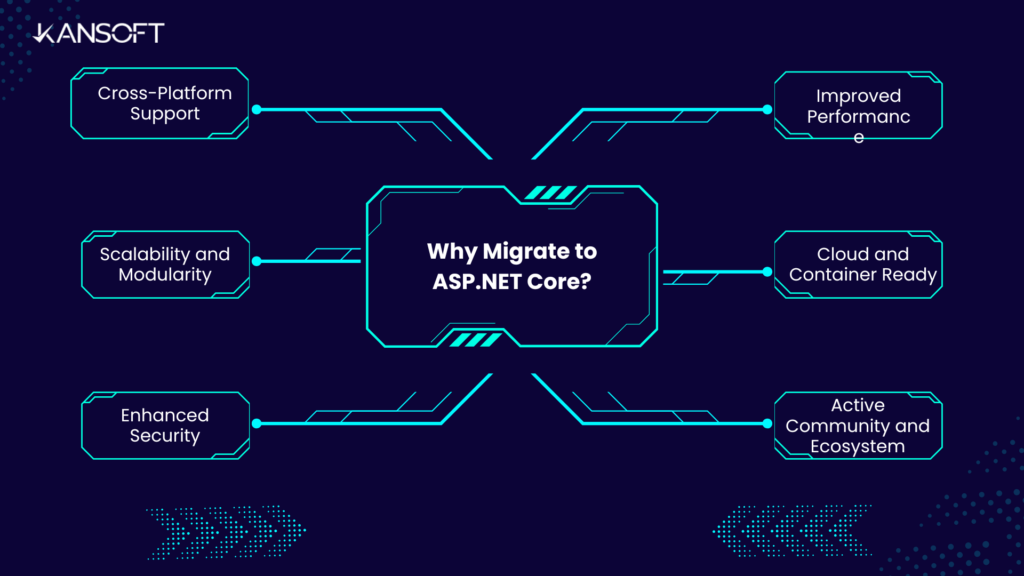
- Cross-Platform Compatibility
ASP.NET Core is designed to be cross-platform, meaning you can run your applications on Windows, macOS, and Linux. This opens up the possibility for wider deployment options and better scalability.
- Improved Performance
ASP.NET Core is built for speed. Its performance benchmarks have surpassed many other web development frameworks, and it’s significantly faster than ASP.NET MVC, making it a better choice for high-traffic applications.
- Modernized Architecture
ASP.NET Core embraces modern architecture with features like dependency injection, middleware, and better routing. It is lightweight, modular, and can easily integrate with cloud-native technologies.
- Open-Source and Community-Driven
Unlike ASP.NET MVC, which is tied to the .NET Framework, ASP.NET Core is open-source. This allows for greater flexibility, community involvement, and quicker updates to the framework.
- Better Cloud Integration
ASP.NET Core is built with cloud deployment in mind, providing seamless integration with Microsoft Azure and other cloud services, making it ideal for cloud-first development strategies.
Differences Between ASP.NET MVC and ASP.NET Core
Understanding the key differences between ASP.NET MVC and ASP.NET Core will help you prepare for migration:
| Feature | ASP.NET MVC | ASP.NET Core |
|---|---|---|
| Framework | .NET Framework (Windows-only) | .NET Core (Cross-platform) |
| Performance | Slower compared to ASP.NET Core | Much faster, optimized for high performance |
| Dependency Injection | Built-in support but not mandatory | Native support for DI, built-in with the framework |
| Configuration | Uses Web.config | Uses appsettings.json, more flexible |
| Hosting | IIS-only | Cross-platform hosting (Kestrel, IIS, Nginx, Apache) |
| Middleware | Limited use of middleware | Full support for middleware for request handling |
| Updates | Limited to the .NET Framework updates | Frequent, open-source updates through GitHub |
| Modularity | Less modular, larger memory footprint | Highly modular, minimal memory footprint |
Step-by-Step Guide to Migrating from ASP.NET MVC to ASP.NET Core
Follow this comprehensive guide to smoothly migrate your application:
Step 1: Create a New ASP.NET Core Project
Start by creating a new ASP.NET Core Web Application in Visual Studio or Visual Studio Code. Choose the Web Application template to get started. This new project will be the base for your migration.
Step 2: Migrate the Project Structure
ASP.NET Core introduces a simplified and more flexible project structure. Here’s what you need to do:
- Replace Web.config with appsettings.json for configuration.
- Update Program.cs to configure your application and services.
- Replace Global.asax with Startup.cs to set up your middleware and services.
Step 3: Migrate Dependencies
ASP.NET Core handles dependency injection differently than ASP.NET MVC. Update your existing classes to use constructor injection. Here’s a quick example of how to set up DI in Startup.cs:
public void ConfigureServices(IServiceCollection services)
{
    services.AddMvc();
    // Add your services here, such as:
    services.AddSingleton<IProductService, ProductService>();
}
Step 4: Migrate Routes and Controllers
ASP.NET Core uses attribute routing, which can be a slight change from traditional routing in ASP.NET MVC. Migrate your controllers and actions by updating the route syntax:
[Route("api/[controller]")]
public class ProductController : ControllerBase
{
    [HttpGet]
    public IEnumerable<Product> GetAll()
    {
        return _productService.GetAllProducts();
    }
}
Step 5: Migrate Views (Razor Pages)
ASP.NET Core uses Razor Pages, which is similar to the MVC View system but more efficient and simpler. Migrate your views to Razor by ensuring they are under the Views folder, and update any layout or partial views.
Step 6: Migrate Authentication & Authorization
If your application uses authentication (e.g., Forms Authentication or Windows Authentication), you’ll need to re-implement it using ASP.NET Core Identity or external providers like OAuth, JWT, or OpenID Connect.
Step 7: Testing and Debugging
Test your migrated project thoroughly to identify any issues related to routing, middleware, or service configuration. Use tools like Postman for API testing and XUnit for unit tests.
Conclusion
Migrating from ASP.NET MVC to ASP.NET Core offers tremendous benefits, including enhanced performance, cross-platform capabilities, and access to modern development practices. While the migration may require some effort—especially when it comes to dependencies, configuration, and routing—the benefits far outweigh the challenges.
By following the above step-by-step guide and utilizing the right tools, you can transition your application smoothly and take full advantage of the new capabilities offered by ASP.NET Core. Whether you are developing for cloud environments or optimizing for performance, ASP.NET Core is the way forward for building modern web applications.